


1 / 7
Find your perfect screen
What do you need the screen for?
Select the primary use case.
Should the screen be flame-retardant?
Certified screens meet strict fire safety requirements for public facilities.
What are the lighting conditions in the room?
Partially darkenable is the most common.
Which screen type do you prefer?
Non-matching options are grayed out.
Which aspect ratio do you need?
For home cinema, 16:9 is standard.
What type of projector do you have?
Standard (long throw) projector is the most common.
Passende Leinwände werden geladen …
0 passende Leinwände für Sie
Helpful tools
2 / 2
Find your perfect screen
Soll der Green Screen motorisiert oder manuell bedient werden?
Motorisierte Varianten lassen sich bequem per Fernbedienung auf- und abrollen.
Projection Screen – Buying Guide
Contents
The projection screen fabric & the gain factor
What is gain? How does the fabric affect the image?
What is the gain factor?
The gain factor (also: amplification factor) describes how strongly a projection screen reflects the incoming light – in comparison to a standardized white reference surface (magnesium oxide standard). It is defined according to the international standard ISO 8398 and the German standard DIN 19045-4. It influences brightness, contrast and viewing angle. Gain 1.0 means uniform light distribution. Higher values produce a brighter image, but with a narrower viewing angle. Lower values provide wider scattering and better visibility from various angles.
How to read the gain value correctly:
- Gain 1.0: The screen reflects exactly as much light as the reference surface – uniformly in all directions.
- Gain > 1.0: More light is directed in a specific direction → higher brightness, but smaller viewing angle.
- Gain < 1.0: Less light is reflected → deeper black, higher contrast (e.g. with special gray fabrics).
What is the gain factor?
The gain factor (also: amplification factor) describes how strongly a projection screen reflects the incoming light – in comparison to a standardized white reference surface (magnesium oxide standard). It is defined according to the international standard ISO 8398 and the German standard DIN 19045-4. It influences brightness, contrast and viewing angle. Gain 1.0 means uniform light distribution. Higher values produce a brighter image, but with a narrower viewing angle. Lower values provide wider scattering and better visibility from various angles.
How to read the gain value correctly:
- Gain 1.0: The screen reflects exactly as much light as the reference surface – uniformly in all directions.
- Gain > 1.0: More light is directed in a specific direction → higher brightness, but smaller viewing angle.
- Gain < 1.0: Less light is reflected → deeper black, higher contrast (e.g. with special gray fabrics).
The four projection screen fabric types according to ISO standard
In practice today, fabrics of Type D (matte white, gain ~1.0) for classic front projection and Type R for rear projection screens are mainly used.
Type D (Matte White)
Type S (Grey/Silver)
Type B (Glass Bead)
Type R (Rear Projection)
~1,0
>1,0
up to 3.0
1-5
Diffuse, uniform
Focused
Strongly focused
Rear-facing
Very large (>160°)
Medium
Small (~30°)
Variable
Classic front projection, conference, school
Home cinema, dark rooms (No longer relevant today)
Single viewer, narrowly directed projection (No longer relevant today)
Showroom, trade fairs, interactive presentations
What does the viewing angle mean?
The viewing angle (half-angle position) indicates up to which angle to the left and right of the screen center the image can still be perceived with at least 50% of the maximum brightness. The higher the gain value, the narrower this angle – the image appears darker for viewers at the edges.
Projector types & installation position
Long-throw, short-throw, UST – what suits which screen?
Projector types
Projectors differ primarily in their projection distance, i.e. the distance between the projector and the screen. Depending on the projector type, the projection angle, installation position and thus the requirements for the screen change. Important: Not every screen is suitable for every projector type. On our product detail pages we therefore always indicate which projector types the respective screen is suitable for, so that projector and screen work together optimally.

Standard (Long-throw)
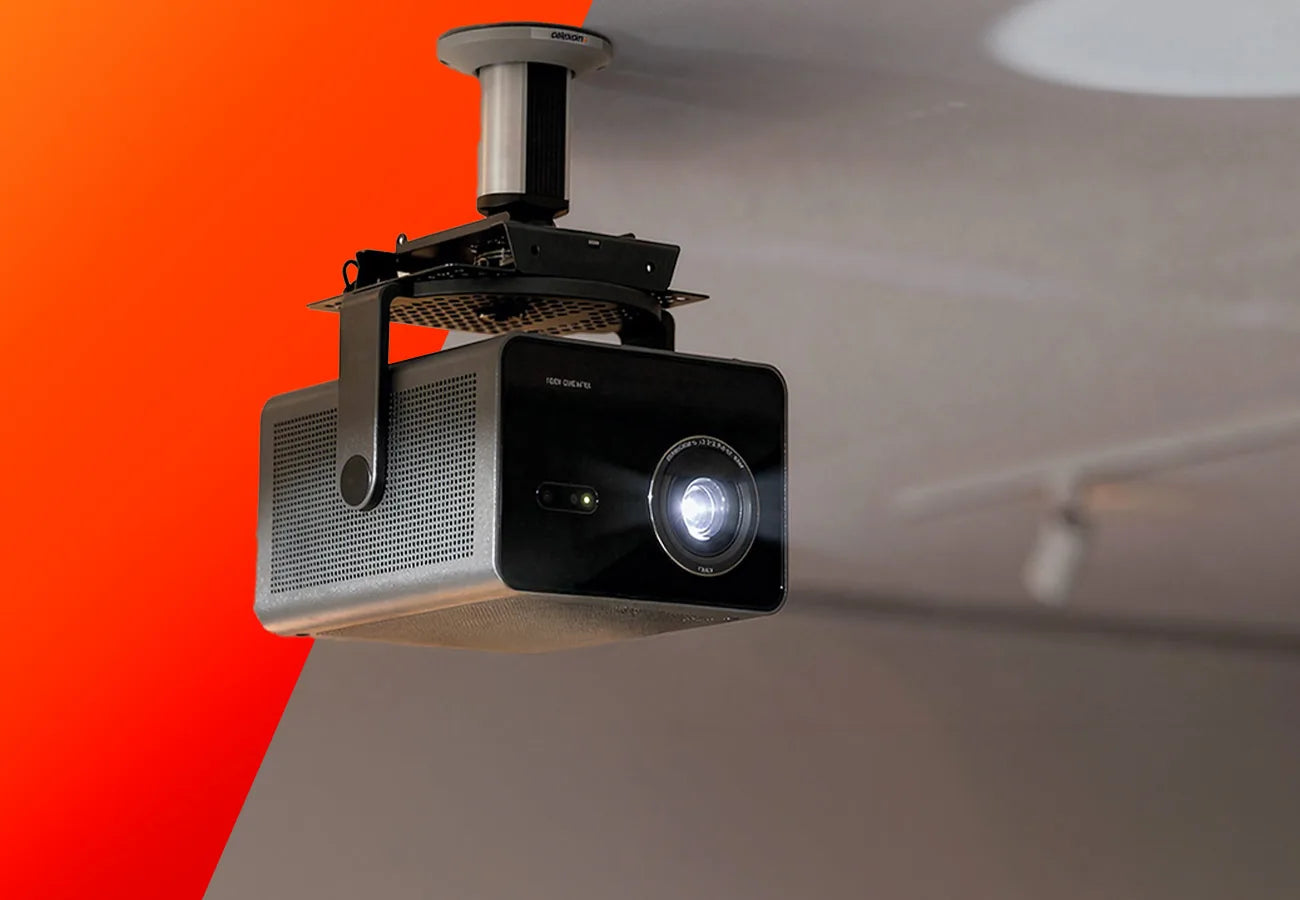
Long-throw projectors project the image from a greater distance and are often installed on the ceiling or further back in the room. They are particularly common in conference rooms, classrooms or classic home cinema setups. Most standard projection screens with a matte white surface are suitable for this type of projection.

Short-throw
Short-throw projectors work with a shorter distance to the screen and enable large image diagonals even in smaller rooms. They are often used in training rooms, meeting rooms or interactive presentation environments, as shadow casting is reduced.

Ultra short-throw
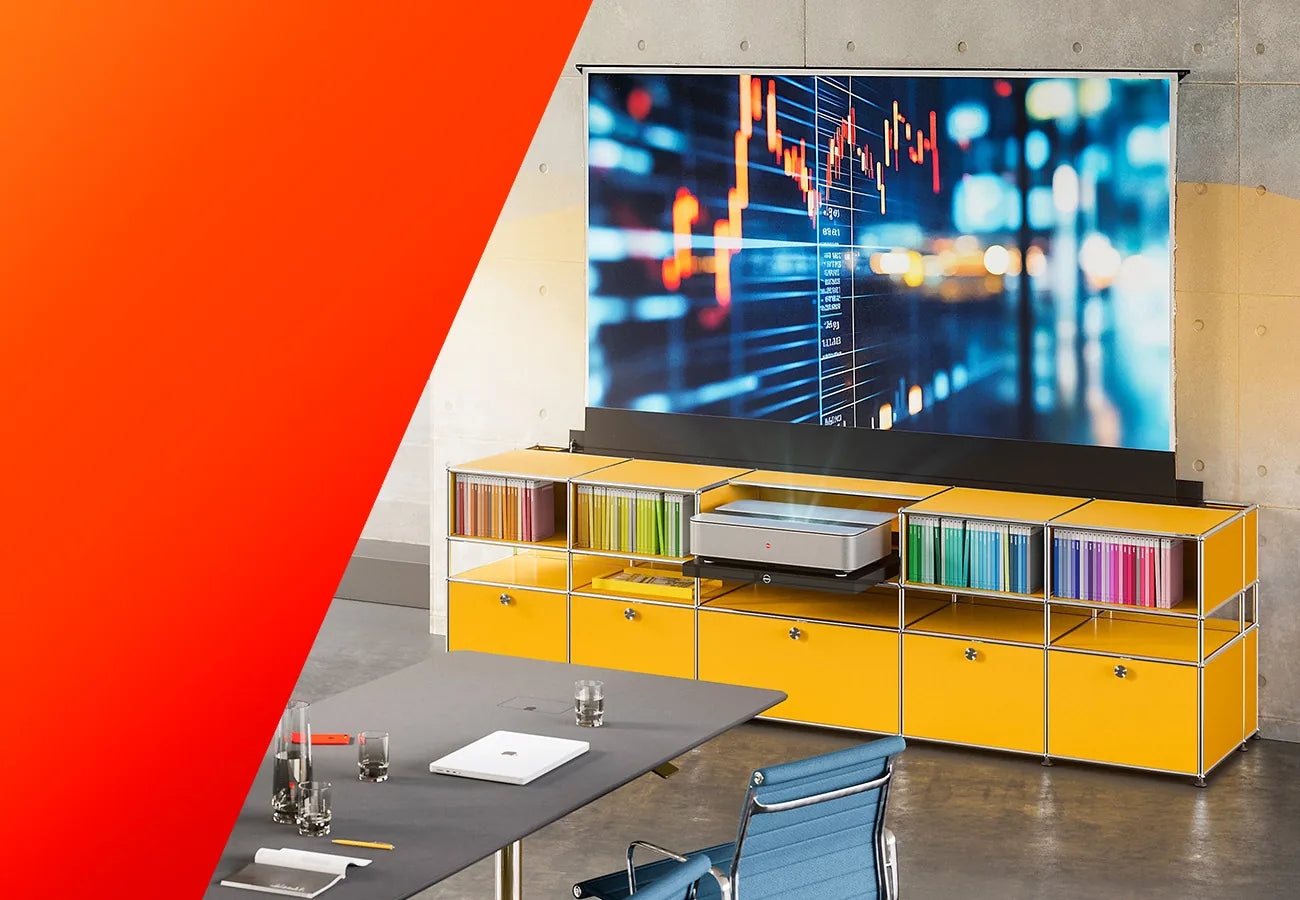
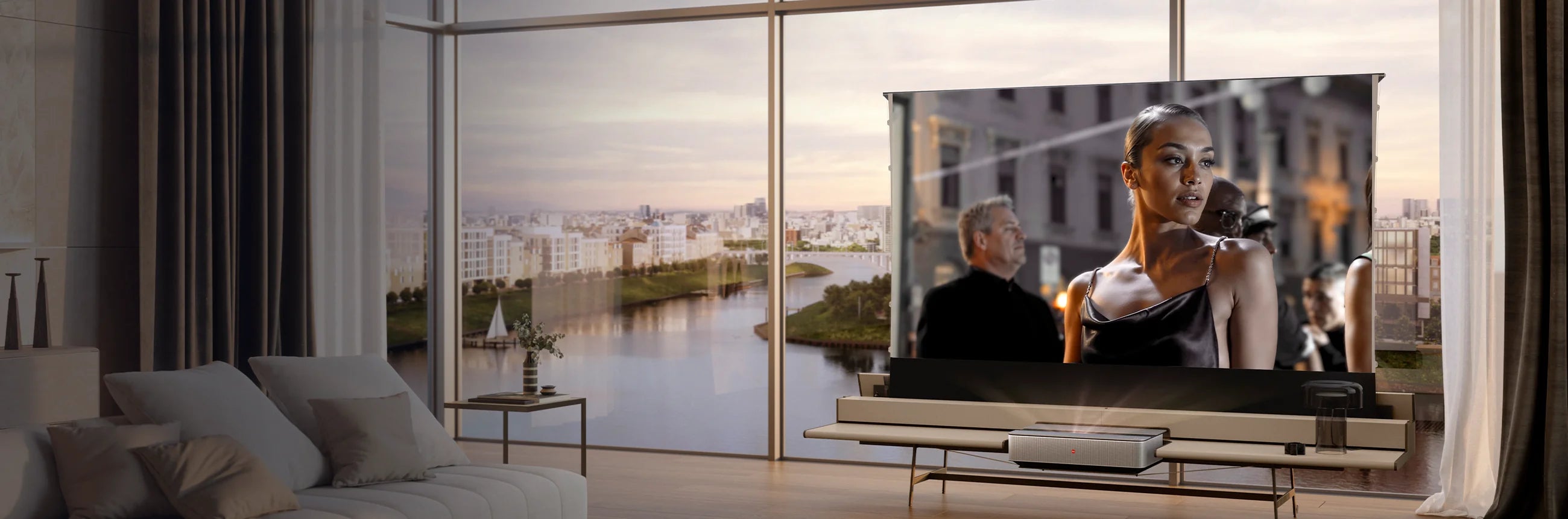
UST projectors usually stand directly in front of the screen on a piece of furniture and project the image at a very steep angle. These projectors are particularly often used for laser TV or living room solutions. For an optimal image, specialized screen surfaces adapted to the projection angle are usually required.
Front projection
With front projection, the projector is located in front of the screen, i.e. on the same side as the audience. The image is projected directly onto the surface of the screen and reflected from there to the viewer. This type of projection is the most widely used solution and is used in conference rooms, classrooms, training rooms and home cinemas. A major advantage is the simple installation, as no additional space behind the screen is required. Screens can be mounted in a space-saving manner on walls or ceilings. However, with unfavorable positioning, it can happen that people walk through the projection beam and cast shadows.
Rear projection
With rear projection, the projector is placed behind the screen and projects the image from behind through the special projection material. The image then becomes visible on the front of the screen. The advantage of this solution is that no persons can enter the projection beam and no shadows appear on the screen. In addition, the technology can be installed discreetly behind the screen, which is particularly popular at trade fair installations, stage applications or professional presentation solutions. A prerequisite, however, is that there is sufficient space behind the screen for the projector and cabling, and that the area can be darkened as much as possible.
Front projection
With front projection, the projector is located in front of the screen, i.e. on the same side as the audience. The image is projected directly onto the surface of the screen and reflected from there to the viewer. This type of projection is the most widely used solution and is used in conference rooms, classrooms, training rooms and home cinemas. A major advantage is the simple installation, as no additional space behind the screen is required. Screens can be mounted in a space-saving manner on walls or ceilings. However, with unfavorable positioning, it can happen that people walk through the projection beam and cast shadows.
Rear projection
With rear projection, the projector is placed behind the screen and projects the image from behind through the special projection material. The image then becomes visible on the front of the screen. The advantage of this solution is that no persons can enter the projection beam and no shadows appear on the screen. In addition, the technology can be installed discreetly behind the screen, which is particularly popular at trade fair installations, stage applications or professional presentation solutions. A prerequisite, however, is that there is sufficient space behind the screen for the projector and cabling, and that the area can be darkened as much as possible.
Format, brightness & seating distance
Optimally matching size and brightness
The screen format
The format of a projection screen describes the ratio of image width to image height (aspect ratio). It should always match both the purpose and the aspect ratio of the projector being used. Depending on the application, different aspect ratios have become established. For an optimal projection result, it is recommended to choose the screen in the native aspect ratio of the projector. Only in this way will the image be displayed completely and undistorted – without distracting black bars or cropping at the edges. The most common formats today are 16:9 in home cinema and 16:10 in the business sector.
4:3
16:9
16:10
21:9
1:1
Classic
Widescreen
Slightly elevated
Ultrawide
Square
older business presentations and Office software
Films, home cinema, modern multimedia content
Business & training rooms, many notebooks
Cinema films, Cinemascope, premium cinema
Square
Special applications, slide & overhead projections
The projector’s light output
For a projection to appear bright and high-contrast, the brightness of the projector must match the ambient light and the size of the projection surface. Brightness is specified in lumens (lm) or ANSI lumens. As a rule of thumb: for good image quality, the projector should be approximately five times brighter than the ambient light on the projection surface.
Indoors (darkened)
Indoors (daylight)
Large rooms / events
200-750 lm
750-5.000 lm
5.000 - 10.000+ lm
Home cinema, dark meeting room
Training room, conference with windows, Living room
Auditorium, trade fair, event
The Seating distance
The seating distance also significantly influences the viewing experience. Too close and the image appears pixelated or overwhelming; too far away and the detail effect is lost. Optimal is a seating distance at which the entire image can be comfortably perceived without having to constantly move the head or eyes significantly.
Minimum
Ideal (home cinema)
Conference & seminar room
~1.5x the screen width
2–3x the screen width
4–5x the screen width (max. 8x)
Calculating the right screen size
Image diagonal, image width, throw ratio – how to find the optimal size
Conversion table: inches → width & height (format 16:9)
Conversion formula: Image width (cm) = diagonal (inches) × 2.54 × 0.872 (for 16:9). The image height is derived from this as width × 0.5625.
60"
80"
100"
120"
150"
200"
133 cm
177 cm
221 cm
266 cm
332 cm
443 cm
75 cm
100 cm
125 cm
149 cm
187 cm
249 cm
Small meeting room, tabletop screen
Seminar room, compact home cinema
Home cinema, conference room (standard)
Large home cinema, training room
Event area, auditorium
Large events, stage
Inches, diagonal, width – what does what mean?
Screen sizes – unlike TVs – are often specified both in inches (image diagonal) and in centimeters (width × height). The diagonal alone doesn’t say much unless the aspect ratio is known. Two screens with a 100-inch diagonal can therefore have different widths and heights, depending on the format.
What is the throw ratio – and why is it important?
The throw ratio describes how far a projector must be from the screen to produce a specific image width. It is expressed as the ratio of projection distance to image width. The exact throw ratio of your projector can be found in the manufacturer's data sheet. With zoom lenses, a range is given (e.g. 1.2–1.8), which allows more flexibility in placement.
Technically possible sizes


Fabric types in detail
The choice of the right fabric is crucial for image quality. In addition to the gain factor and the fabric type according to ISO standard, there are today specialized materials specifically designed for certain room situations or projector types.
Matte White (Type D, Gain ~1.0)
The ultimate all-round fabric. Uniform reflection in all directions, large viewing angle, neutral colour reproduction. Ideal for rooms with changing lighting conditions and many viewers at different positions.
Advantages:
- Best color reproduction
- Largest viewing angle
- Affordable and widely available
- Projector placement allows free choice
Disadvantages:
- Low inherent contrast
- Sensitive to ambient light
Grey (Type D, Gain 0.6-0.8)
Optimised for dark rooms with high-quality projectors. The slightly darker base colour makes black appear deeper – the contrast appears higher.
Advantages:
- Higher perceived contrast
- Better black level
- Ideal for home cinema
- Wide viewing angle
Disadvantages:
- Requires a brighter projector
ALR - Ambient Light Rejecting
ALR fabrics (Ambient Light Rejecting) use the principle of angular reflection: They direct ambient light falling from above or the side away from the viewer and into the room based on its angle of incidence. At the same time, the projection light is preferentially reflected towards the viewers. This ensures high contrast in bright rooms – specially optimized for use with standard long-throw projectors.
Advantages:
- Excellent in daylight & bright room lighting – minimal blackout required
- High contrast despite ambient light
- Compatible with standard long-throw projectors
Disadvantages:
- Not compatible with UST / Laser TV projectors
- Limited viewing angle
CLR – Ceiling Light Rejecting (for UST)
Further development of ALR technology, specially designed for ultra-short-throw projectors. The Fresnel or micro-groove structure filters light falling from above (ceiling lights) and reflects only the UST projection light entering at a flat angle from below. Absolutely essential for high-quality Laser TV setups.
Advantages:
- Optimal for UST / Laser TV projectors
- Works in bright living rooms
- Deepest blacks, rich image
Disadvantages:
- Only suitable for UST, not for other projectors
- Projector must be positioned correctly relative to the micro-groove structure below/above the projection screen
Acoustically transparent fabric
A specially perforated/woven fabric through which sound can pass. Enables the placement of speakers behind the projection screen – ideal for an authentic cinema experience where the sound comes directly from the center of the image.
Advantages:
- Speakers invisible behind the projection screen
- Authentic cinema feeling
- Space-saving with in-wall speakers
Disadvantages:
- Slight loss of image sharpness possible (with perforated fabrics)
celexon fabrics in detail
celexon uses carefully selected fabric materials for its screens, each optimized for specific requirements regarding image quality, room situation and projector type. Below you will find all available fabrics with their respective properties and usage recommendations.
CLR Black Grid – High Contrast
CLR High Contrast PET CLR (Ceiling Light Rejecting) · Type for UST projectors
The CLR Black Grid high contrast fabric is specially developed for ultra-short-throw projectors (UST) and Laser TV setups. The micro-structured multilayer surface (polyethylene terephthalate) selectively filters out ceiling light and reflects exclusively the projection light entering from below towards the viewer. The result: deep black levels, vibrant colors and excellent contrast – even in a brightly lit living room.
Advantages:
- Optimized for UST / Laser TV
- Excellent black levels & contrast
- Works without blackout
- Multilayer material: dimensionally stable & durable
Disadvantages:
- Only suitable for UST projectors
- Cannot be combined with standard projectors
Dynamic Slate ALR
ALR (Ambient Light Rejecting) · Gray fabric for bright rooms
Advantages:
- Highly effective against ambient light
- High contrast & deep blacks
- Ideal for bright rooms (home cinema, conference and seminar rooms, schools)
- Compatible with long-throw projectors
Disadvantages:
- Not compatible with UST / laser TV projectors
- Limited viewing angle
Matte White Fiberglass
Type D · Gain ~1.0 · Highest flatness
The matte white fibreglass fabric is the most temperature-resistant material. It permanently retains its original shape, ensuring optimal performance even in temperature-critical environments. Particularly suitable for temperature-sensitive areas.
Advantages:
- Highest temperature stability
- Neutral color reproduction
- Wide viewing angle
- Very durable
Disadvantages:
- Heavier than PET/PVC fabrics
Matte white PET
Type D · Gain ~1.0 · Lightweight & dimensionally stable
The matte white PET fabric (polyethylene terephthalate) combines a matt, uniformly reflective surface with the advantages of modern plastic material: PET is lightweight, tear-resistant, moisture-resistant and reliably retains its shape. It is suitable for both fixed projection screens and mobile applications and offers an excellent price-to-performance ratio.
Advantages:
- Lightweight & moisture-resistant
- Dimensionally stable
- Excellent price-to-performance ratio
- Versatile
Disadvantages:
- Marginally less flat than PVC or vinyl fabrics
- May be prone to slight edge curling
Matte white polyester
Type D · Gain ~1.0 · Soft & flexible
The matte white polyester fabric is the classic, flexible all-round fabric for manual and motorized projection screens. Polyester is soft, rollable and easy to roll in and out – ideal for manual projection screens, motorized projection screens and mobile applications. The matte surface provides natural color reproduction and a wide viewing angle.
Advantages:
- Very flexible & rollable
- Ideal for motorized projection screens & manual projection screens
- Good color reproduction
- Widely available & affordable
Disadvantages:
- Less dimensionally stable than fibreglass or PET
- More susceptible to creasing if stored improperly
Matte white PVC
Type D · Gain ~1.0 · Robust & durable
The matte white PVC fabric ensures flawless, structure-free image reproduction and impresses with a flatness that is superior to classic woven fabrics. It is particularly suitable for air-conditioned indoor spaces such as home cinemas, offices or schools, but should not be used in areas with significant temperature fluctuations.
Advantages:
- Robust and durable material
- Easy to clean
- Moisture- & temperature-resistant
Disadvantages:
- Sensitive to significant temperature fluctuations
Rear Projection PVC
Type R · Special fabric for rear projection screens
The rear projection PVC fabric is specially developed for rear projection screens where the projector is positioned behind the projection screen. The translucent PVC material is designed so that light passes through the fabric and the image becomes visible on the front. It ensures even image illumination and good contrast even in daylight. Indispensable for showrooms, trade fair setups and interactive installations where people stand in front of the projection screen without casting shadows.
Advantages:
- No shadows from people standing in front of the projection screen
- Technology disappears behind the projection screen
- Ideal for showrooms & trade fairs
- Robust & durable thanks to PVC
Disadvantages:
- Sufficient space behind the projection screen required
- Area behind the projection screen should be darkened

Stationary projection screens
Stationary projection screens are permanently installed in a fixed location and, unlike mobile versions, are not intended for transport. They offer a particularly stable and high-quality projection surface, making them ideal for home cinemas, conference rooms, classrooms or other rooms where projection is carried out regularly.
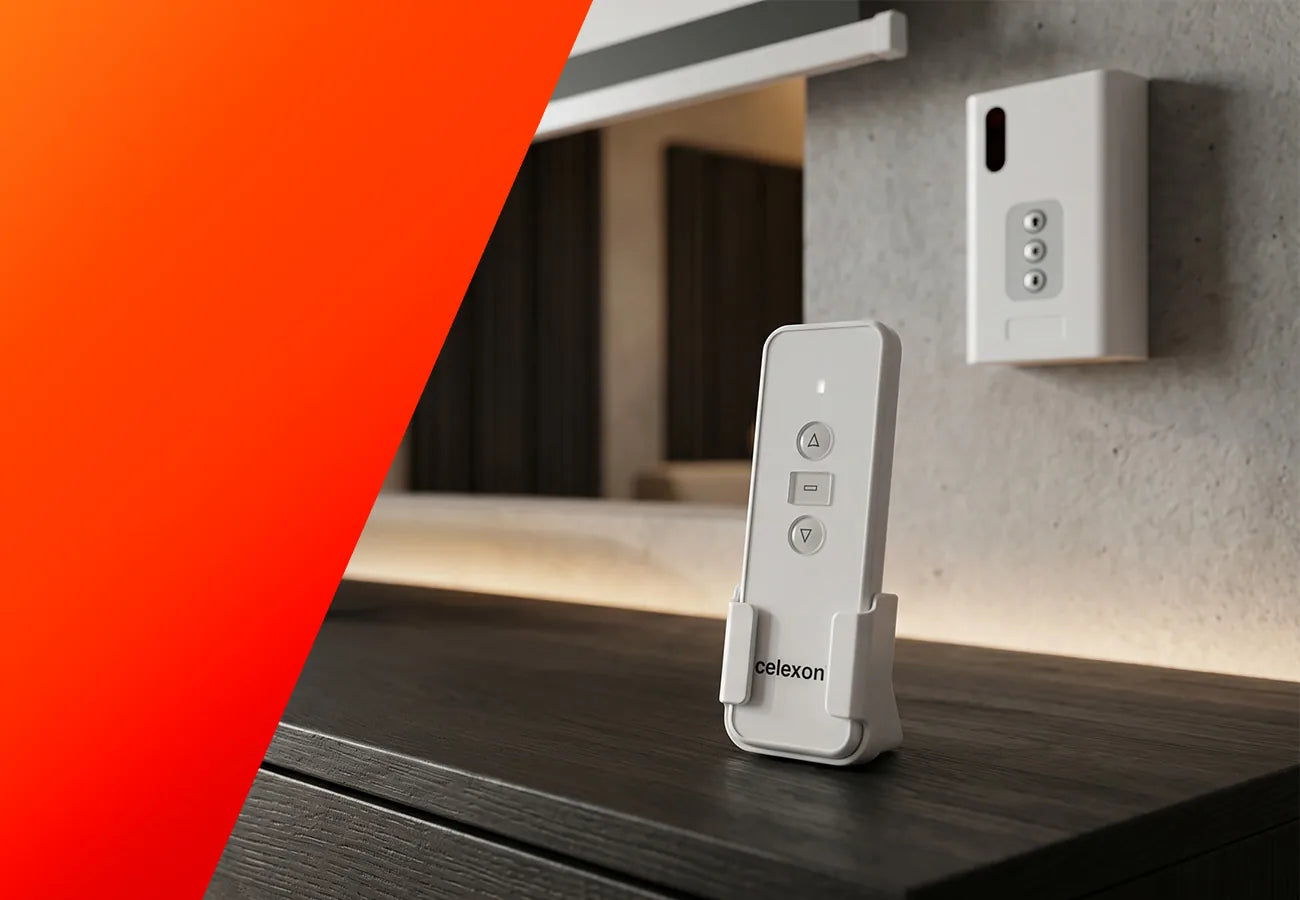
You can choose between different types of stationary screens. A motorized screen can be conveniently raised and lowered via remote control or wall switch, offering a high degree of comfort and a very elegant solution for professional installations. The classic manual screen is rolled up and down by hand and impresses with its simple operation and space-saving character – a practical and affordable option for many areas of use. For the highest demands, the frame screen is suitable, where the fabric is permanently tensioned tightly and guarantees an absolutely flat projection surface. It ensures maximum image quality and is therefore particularly often used in home cinemas or presentations where perfect display is the top priority.
Stationary screens are always the best choice when a permanently available, reliable and visually high-quality projection surface is needed that consistently delivers excellent image reproduction.

Manual projection screen
Manual projection screens are among the classic and at the same time most affordable screen types. Their affordability stems less from a simple fabric, but primarily from the manual roller mechanism, where the screen is pulled out by hand and locked in the desired position. Since neither cables nor control systems are required, and no power connection is needed at the installation site, manual screens can be easily mounted and used immediately almost anywhere.
In terms of operation, they offer less comfort than motorized models, as precise alignment of the projected image is only possible if the screen is pulled out to the same position each time. Additionally, due to manual handling, they are generally limited to widths of up to about three meters. Depending on the model, simple roller mechanisms or soft-return systems are used, where the screen glides slowly and automatically back into the housing after a brief pull.

Motorized projection screen
Motorized projection screens are among the most comfortable and versatile screen types. They can be operated particularly conveniently and precisely via button or remote control, always extend to exactly the same position, and thereby ensure optimal image alignment as well as gentle, uniform rolling and unrolling of the fabric. They are available in almost all sizes, formats and equipment variants.
The only disadvantage lies in the installation effort: a power connection is required for operation, and depending on the room, visible cables or control elements may be disruptive or difficult to implement structurally. Nevertheless, motorized screens are in most cases the best choice for a comfortable, permanently installed and high-quality projection solution.

ceiling recessed screens
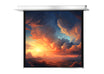
Ceiling recessed screens are motorized screens that are integrated directly into the ceiling, thereby offering a nearly invisible solution. When retracted, they are flush with the ceiling surface and blend elegantly and unobtrusively into the room. Electric operation via wall switch or remote control ensures gentle, uniform movement and contributes to the longevity of both the mechanism and the fabric.
Installation is somewhat more involved, as both a suitable ceiling cutout and a power connection must be prepared. After mounting, however, the screen remains easily accessible, as maintenance is possible via side access panels.

Frame screen
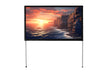
Frame screens are among the highest quality classic screen solutions and offer a permanently perfect flatness across the entire projection surface. Since the fabric is tightly stretched onto a stable frame, it remains absolutely flat even with changes in temperature or humidity, thus ensuring optimal image reproduction at all times. There are numerous variants, from powder-coated or velvet-covered frames to curved models.
The disadvantage is that a frame screen remains permanently visible and cannot be retracted. It therefore requires a fixed place on the wall and is always exposed to ambient conditions such as light or dust. For this reason, it is primarily suitable for home cinemas or rooms where its permanent presence is not disruptive and is deliberately used as a high-quality design element.

Contrast screens
Contrast screens offer outstanding image quality thanks to innovative technologies such as ALR, CLR and Fresnel – even in bright ambient light. Their special surface structure specifically deflects disruptive ceiling and side light, thereby ensuring vivid colors, deep black and brilliant contrasts. This makes them the ideal solution for home cinemas and presentation rooms without the room needing to be darkened.
However, contrast screens also have some limitations to consider. CLR and Fresnel fabrics are designed for a fixed projection angle and offer a limited viewing angle, which restricts placement flexibility. In addition, the screen must always be optimally matched to the projector being used, as it only reaches its full potential in the right combination.

Mobile projection screens
Mobile projection screens are always the right choice when the projection surface needs to be used flexibly in different locations. They are easy to transport, quick to set up and thereby offer maximum mobility – ideal for lectures, training sessions, outdoor events or presentations on the go. Depending on requirements, different variants are available, differing in size, setup and area of use.
A tabletop screen represents a particularly compact and mobile solution. It is small, light and can be set up in seconds, making it excellent for spontaneous meetings or presentations. For larger events or professional use, a mobile folding frame screen is recommended instead. It offers a significantly larger projection surface, is sturdily constructed and can still be transported, making it frequently used at events, trade fairs or temporary stage setups.
Mobile screens are thus the perfect choice for anyone who needs high flexibility while still valuing a reliable, easily transportable projection solution.

Folding frame screen
Folding frame screens are the ideal mobile solution for large projections and are used wherever a particularly wide image is needed. Widths of over four meters are easily achievable. As with classic frame screens, the fabric is tightly stretched onto a stable frame and then mounted on stands. This creates a flat, high-quality projection surface that can nonetheless be transported and set up flexibly.
Folding frame screens are delivered in a robust flight case that optimally protects them for use in rental, at trade fairs or at events. The height can be adjusted variably, assembly is straightforward and tool-free despite the size, and the flatness is always reliably maintained. Particularly practical is the ability to change the projection fabric – so depending on requirements, a choice can be made between front and rear projection without having to purchase a second complete screen.

Pull-up screen
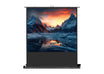
Pull-up screens offer a particularly comfortable setup and are ideal for professional mobile use. They are simply placed on the floor and pulled upward, making setup significantly faster and simpler than many other mobile screen types. Depending on the model, either a telescopic pole or an integrated scissor joint is used. When closed, the housing reliably protects all components, so the screen can be transported safely without an additional bag.
Pull-up screens are somewhat limited in the positioning of the projection surface, as the height can usually only be varied upward. They also require a level surface for stable standing. Overall, however, they impress with their compact design, high mobility and professional appearance.

Tripod screen
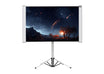
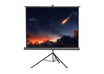
Tripod screens are among the classic mobile solutions and impress with their simple handling and stable stand. Since they are constructed as a compact unit and stand on a stable tripod, they offer secure footing even on uneven surfaces. Assembly is tool-free, and both the lower tube and the upper weighting bar can be flexibly adjusted in height, so the projection surface can be optimally positioned as needed.
A certain disadvantage is the somewhat larger space requirement of the stand construction compared to other portable screen types. It is also advisable to use an additional soft case for transport to be able to transport the screen safely and comfortably. Overall, tripod screens offer an excellent price-performance ratio and are an extremely practical choice for mobile projections up to an image width of approximately 2.40 meters.

Tabletop screen
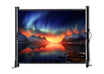
Tabletop screens are the smallest and most mobile screen solutions and are ideal for mini and pico projectors as well as modern LED projectors. With a possible image width of up to one meter, they offer a practical projection surface for presentations on a small scale.
Thanks to their particularly compact design, tabletop screens can be set up with just one hand and transported effortlessly. The low weight and handy size make them the perfect companion for business travelers who do not want to rely on a too-small notebook screen on the go.

Custom-made solutions for your project
Projection screen custom manufacturing
Every environment has special requirements for projection screens – whether for architecture, events, film productions or high-end home cinema. Our custom-made projection screens offer you perfect image quality & maximum flexibility – exactly according to your needs.
Enquire now!Frequently asked questions
Can you also project onto a white wall?
Yes, in principle a projector can also project onto a white wall. Nevertheless, a projection screen offers significantly better conditions for high-quality image display. Screens are specially developed to reflect the projected light uniformly. This means that brightness, contrast and colors usually appear clearer and more intense. Additionally, many walls have small unevennesses or textures, for example from plaster or woodchip wallpaper, which can become noticeable in the image. A screen, on the other hand, has a uniform surface that ensures a clean and calm image projection.
The material of a screen is also designed to reflect the light optimally back to the viewer. This means the image can appear sharper and with higher contrast overall – particularly for films or home cinema applications. Projection onto a white wall is certainly possible, but with a proper projection screen you generally achieve significantly better results and a much more intense viewing experience.
How do I set or reset the stop point / end position?
The end position determines how far your screen extends or retracts. On our motorized screens, this can be regulated via small adjustment screws directly on the motor, in some cases also via the remote control or controller. It is important to always make the adjustment carefully and in small steps so that the mechanism is not damaged.
On which side is the power connection?
The power connection is located – depending on the model – either on the left or right side (viewed from the front). Since this can vary, it is worth checking the technical data or product drawing to know the exact position before installation.
What is the drop length?
The so-called drop length describes the distance between the screen housing and the beginning of the visible image surface. This value is important for planning the optimal image height – particularly with high ceilings or special installation situations. The exact specification can be found in the technical data of the respective model.
My screen does not retract / does not roll back – what should I do?
Retracting a manual projection screen varies depending on the model. A manual projection screen with a slow-return mechanism (also called soft retraction) moves slowly upward on its own once the locking mechanism is released. A manual projection screen without a slow-return mechanism (also called a spring roller) must be guided manually all the way up to or into the housing. To release the locking mechanism, the following applies to both types: Pull down approx. 3–4 cm and then immediately let go quickly (if with slow-return) or guide upward (without slow-return). For the variant without soft retraction, a sufficient and consistent speed across the entire fabric area is important. If guided upward too slowly, the mechanism locks again and the projection screen does not fully retract. If guided upward too quickly, the fabric may not roll up neatly onto the roller, which can cause creases in the fabric or the fabric may bunch up inside the housing.
Is rear projection possible – is there a suitable fabric?
Rear projection is generally possible – however not with a standard screen. For this special type of projection, a specially developed screen fabric is required that is translucent and reproduces the image sharply and true to color even from behind. We offer the right solution for this: whether a complete rear projection screen or an individual replacement fabric – you will find both in our range.
Which ceiling cutout / which installation dimension is required for the recessed screen?
With recessed screens, precise planning is particularly important. The ceiling cutout must be chosen so that the housing including some clearance can be inserted without problems. Additionally, space for installation and any maintenance work should be taken into account. The exact dimensions can be found in the technical documentation of the product.
My screen smells strongly of solvent – is that normal?
A slight smell with new screens is perfectly normal, as certain materials and coatings are used during production. This smell usually dissipates after a few days, especially when the room is well ventilated. Should the smell be unusually strong or persistent, it is advisable to consult the manufacturer.

Haven't found the right screen yet?
With our Screen Buying Advisor, you'll get the best recommendation — tailored exactly to your needs!
Start Buying Advisor